
Correct operational documents
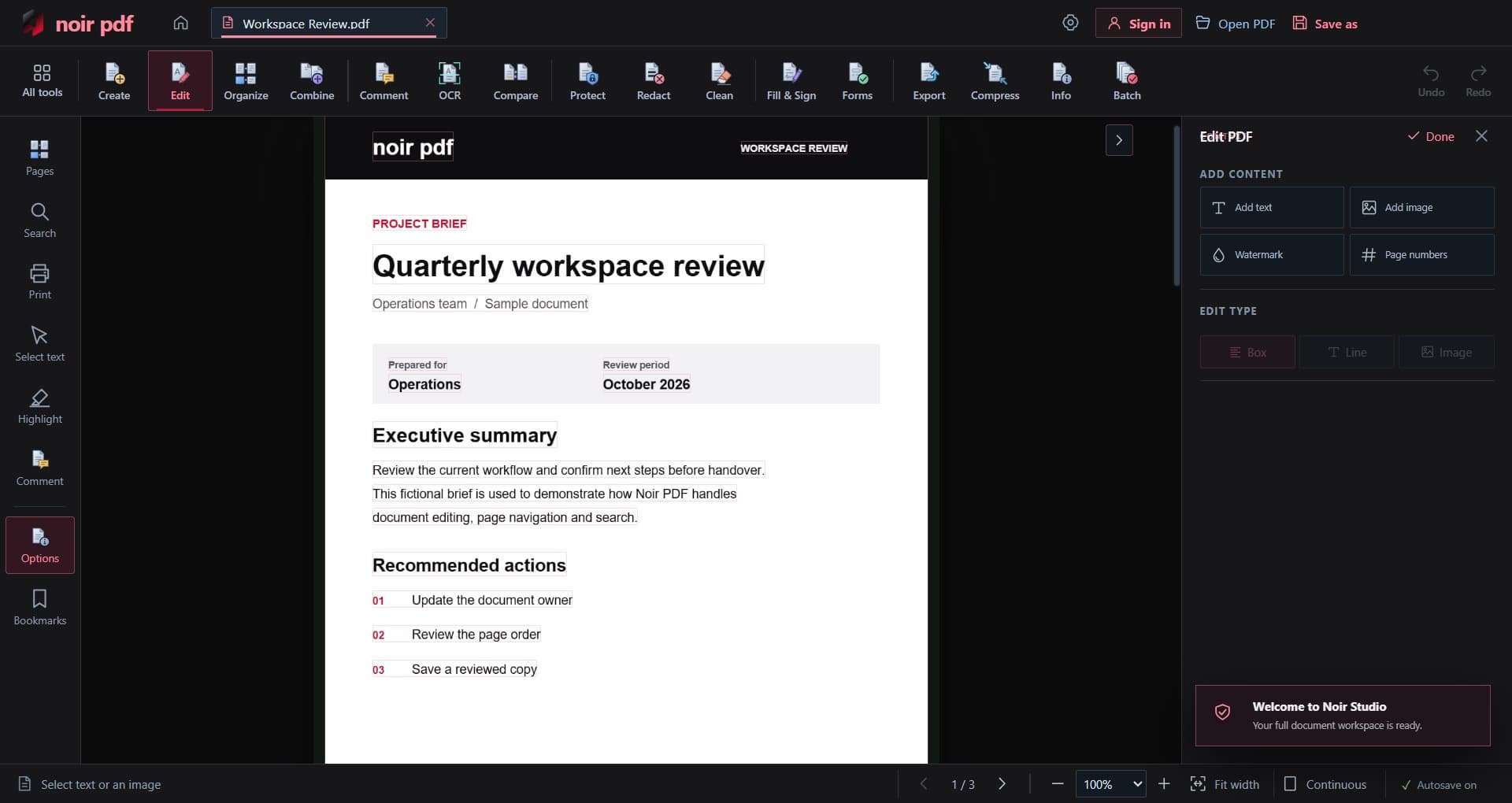
Update quotations, forms, reports and contract details while preserving the page structure and surrounding content.
TEXT · IMAGES · FONTSRetrieving organization status and security policy.
 noir pdf
Edit, organise, convert, sign and protect documents in a focused Windows workspace built for daily professional use.
 OFFLINE OCREnglish + Malay
 DOCUMENT CONTROLLocal processing
Noir PDF brings common document tasks into one Windows workspace, with the original file left untouched until you choose where to save the result.
Update quotations, forms, reports and contract details while preserving the page structure and surrounding content.
TEXT · IMAGES · FONTSRecognise English and Malay text locally, search the result and review pages without uploading the source document.
OCR · SEARCH · REVIEWReorder pages, remove sensitive information, add signatures and apply password protection before distribution.
REDACT · SIGN · PROTECTA short walkthrough recorded with a fictional demonstration document. It shows the real Noir PDF interface without exposing customer or work files.
Handle routine PDF work from one desktop application, with consistent controls across editing, page management, OCR and document protection.

Correct text, add content and prepare polished documents while retaining the original page structure.

Reorder, rotate, extract and combine pages without moving between separate applications.
Recognise English and Malay text locally, then search and select content from scanned pages.
Apply redaction, password protection and privacy cleanup before a document is distributed.
Select a workspace to inspect the real controls used for editing, page management and offline text recognition.
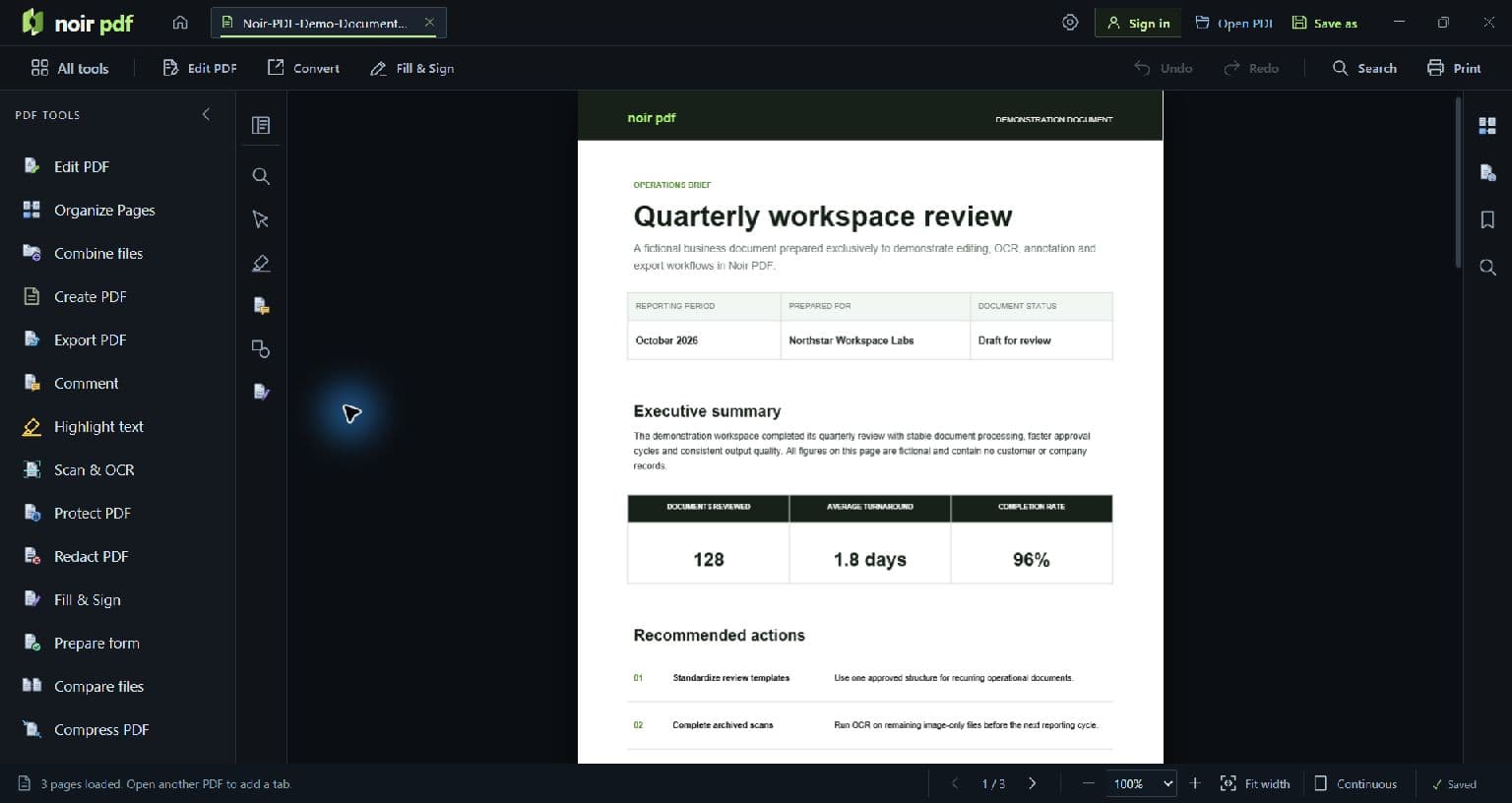
Edit text, place images and signatures, add comments, search content and review the result before saving a new copy.
 LOCAL
Noir’s administration portal manages account access, approved devices and software releases. Your PDF content is processed in the desktop application.
Submit your details for administrator review.
Use the approved email link to download the current Windows installer.
Activate Noir PDF with the same approved Google account.
Review platform requirements, product security and the support process before requesting access.
Windows compatibility, recommended hardware, Office integration and internet requirements.
Review requirements 02Understand what stays on the computer and what the administration service manages.
Read security details 03Check the current version, supported platform, release notes and installer integrity details.
View current releaseReview the Windows requirements before requesting access.
Read the complete support guideNoir PDF supports 64-bit Windows 10 and Windows 11 desktop environments.
Yes. An approved email address and one-time verification code are required to activate a computer.
Core document processing runs locally. Internet access is required for activation, licence checks and managed software updates.
Editing, OCR and conversion run in the desktop application on your computer.
Noir PDF checks the organisation’s stable release policy and prompts users when an update is required.